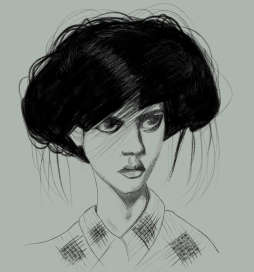
Jacob

I love it when people upload photos of themselves pulling faces onto Sktchy. It’s so much more interesting to draw unusual facial expressions than the regular “straight to camera” smile.

If you’re a Sktchy muse reading this and wondering what kind of photos you need to post to get drawn, this is something Sktchy artists are always talking about off-site. Personally I like clear crisp photos with great eyes, interesting skin tones, good shadows, freckles, lots of reflected light, hands… no photo will have everything I want but those are things that catch my eye. Photos I avoid are ones that are too blurry, anything that has been touched up to create clear smooth skin (it might look great in beauty photos but it’s totally uninteresting to paint), and lots of teeth (teeth are most artists’ nightmare and I struggle to make them look good), and ones with Snapchat filters of any kind.

But at the end of the day everyone has their own personal preference and what I don’t like might well appeal to someone else – so don’t be put off from posting your favourite photos. Most importantly, as with all social media, interact with people and comment on their work. I always check out the photos of everyone who comments on my work to see if they have photos I might want to draw.

Yuka

It’s been a very busy week at with little time for drawing so this portrait of Yuka from Sktchy drawn in Procreate on my iPad Pro is all I’ve managed to finish.

Lindsay

I lost the likeness a little in this portrait of Lindsay from Sktchy but it was fun to draw. I was back in my comfort zone of Copic markers and coloured pencils which always feels so much more controllable than any other medium to me, so I was maybe a bit too relaxed and forgot to keep an eye on the likeness!

Jenell

I

I enjoyed drawing this portrait of Jenell from Sktchy so much. I had my second Covid vaccination a few days ago and once again it’s made me fairly unwell so I’ve taken a few days off work and haven’t really been able to sit at my desk and draw. But I can hold my iPad for a little while and draw on it in short bursts and I’ve drawn this over a few days. And once I finished I played around with the colours in Procreate and couldn’t decide which one I liked best so I put all four together.

I’ve posted the original below too so you can see what it looks like as I actually drew it.

Villanelle

Today I’ve been working on another page in my little sketchbook for The Sketchbook Project 2021. My Screen Queen for today is Villanelle from the wonderful BBC drama “Killing Eve“, played by Jodie Comer. I’m beginning to realise that most of my Screen Queens are kick ass women with assertively violent streaks. Not sure what that says about me 🙂

Maia

This is Maia from Sktchy. I had thought I might just draw this portrait with Copic markers but then I went too dark and blocky on the hair and I needed to use coloured pencils to break the colour up a bit, and then, of course, I couldn’t resist adding some pencil to the eyes and glasses too. But it’s mostly Copics 🙂

Muxi

In case you hadn’t guessed, I’m now obsessed with these brushes and this technique I’m developing in Procreate. It works beautifully with this portrait of Sktchy inspiration Muxi – this is drawn from a contemporary photo but I love the traditional vibe this technique has created.

Faulzy

I’ve been working some more today with my new Procreate brush so I don’t forget how I used it and have also been developing my technique a little more. This is a portrait of Faulzy from Sktchy and I used a TextureTown and ballpoiinty brush in the Procreate app on my iPad Pro.

Raman

This is Raman from Sktchy. I drew him in my Life Noble Note Plain sketchbook with Bic 4 colour ballpoint pens.

Rhayane

This is Rhayane from Sktchy. I’ve been looking for a Procreate brush that I could combine with the ballpointy brush to cover large areas and I finally found one! The striped effect is created using a Texturetown brush and I love the effect it creates!